Block the apps
that eat your day
Block social media, short videos and anything else that pulls you in: on a schedule, after a daily limit, or right now. When you really need one, take a short pause and open it for a few minutes.
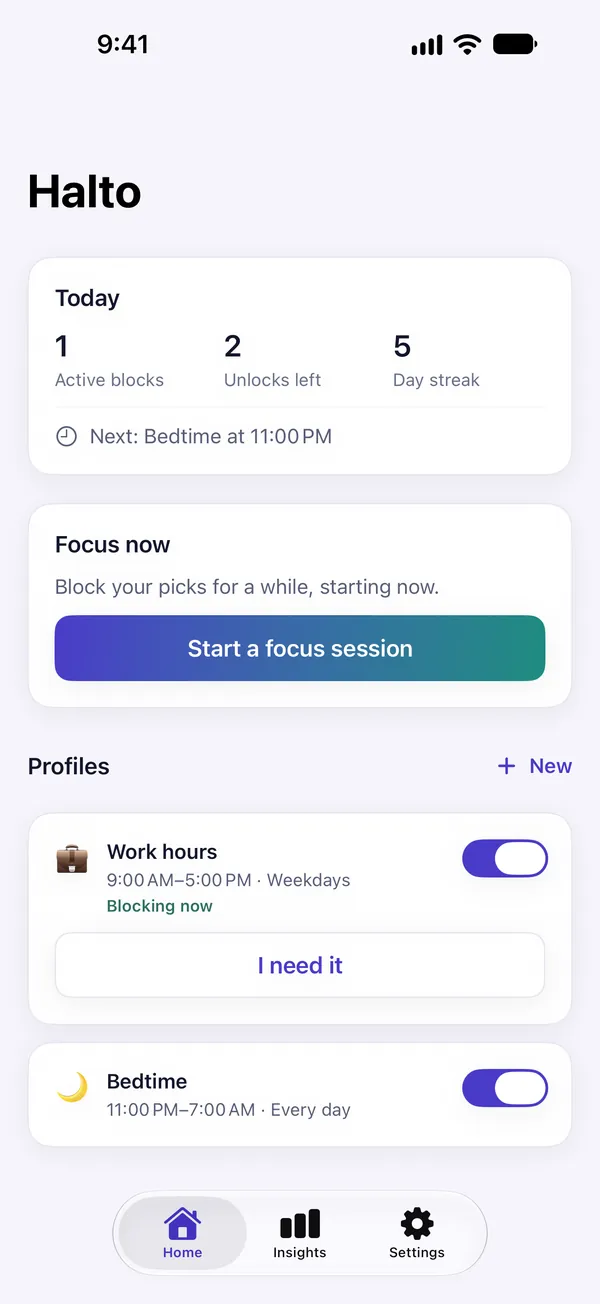
Work hours, bedtime, weekdays only
Blocked once the time is used up
Block your picks, starting now
Pick them, block them together
A pause,
not a cage
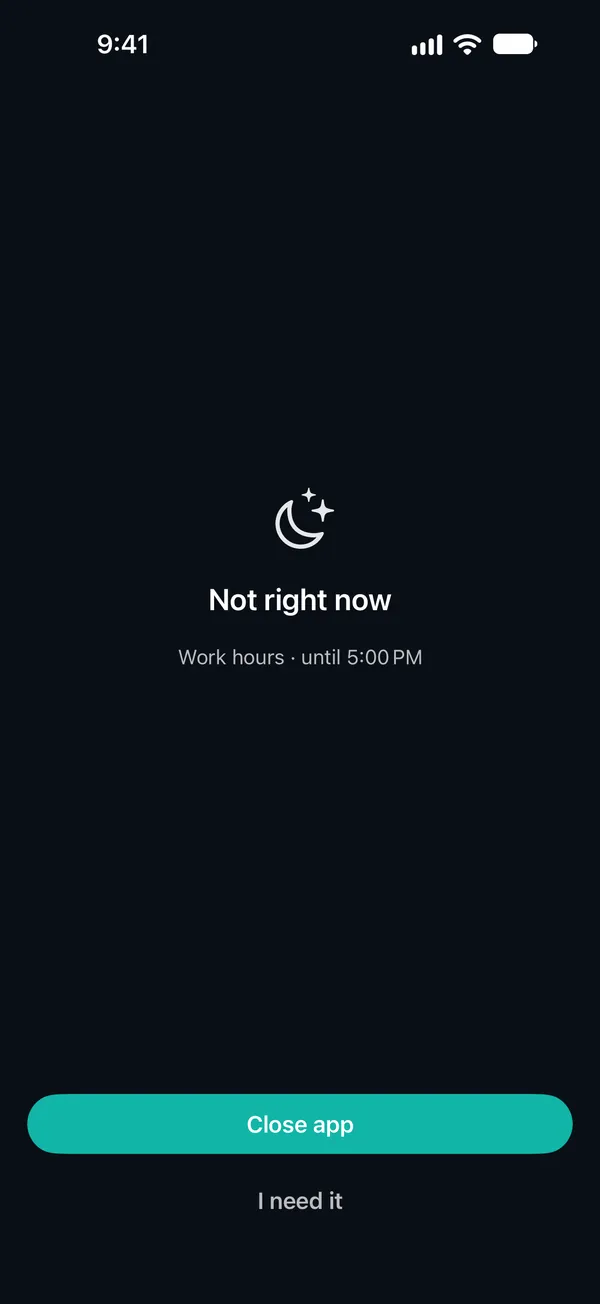
Open an app you picked and the shield comes first. Close the app, or tap “I need it” and take a moment to decide.
- Block apps, categories and websites
- Preview the shield before you rely on it
Breathe before
you unlock
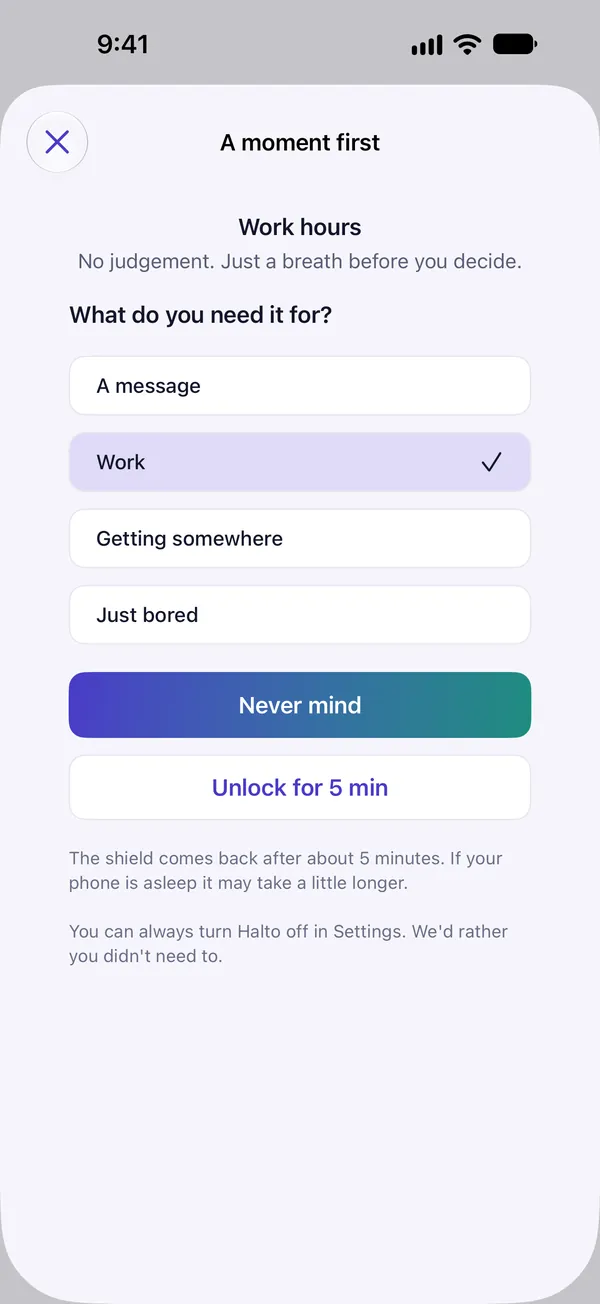
Tap “I need it” on the shield and a notification brings you to Halto's pause. Breathe for 15 seconds, say what you need it for, then open it for 5 minutes. Changed your mind? Tap “Never mind”.
- 15 seconds, 5 minutes and three unlocks a day are defaults you can change
- The shield comes back when the unlock ends
Your hours,
your rules
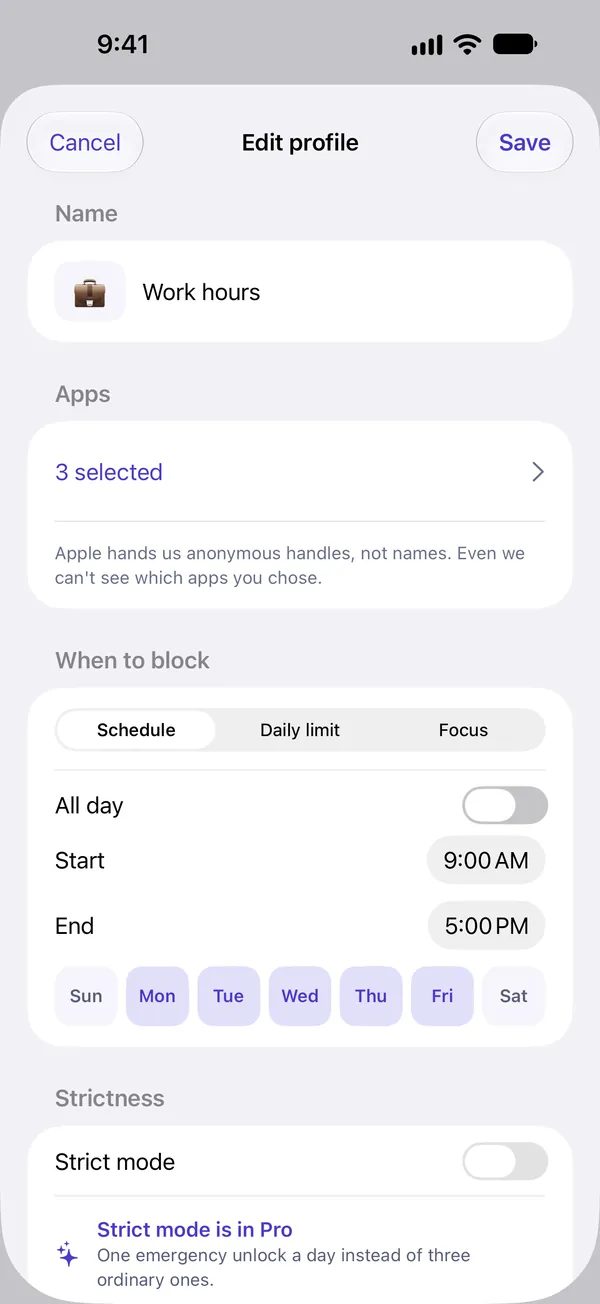
Work hours, bedtime, weekdays only. Each profile pairs the apps with the hours to block them, and Halto shields them on time. A window can run past midnight into the next morning.
- Schedule, daily limit (Pro) or focus
- Strict mode makes unlocking harder (Pro)
Count the times
you walked away
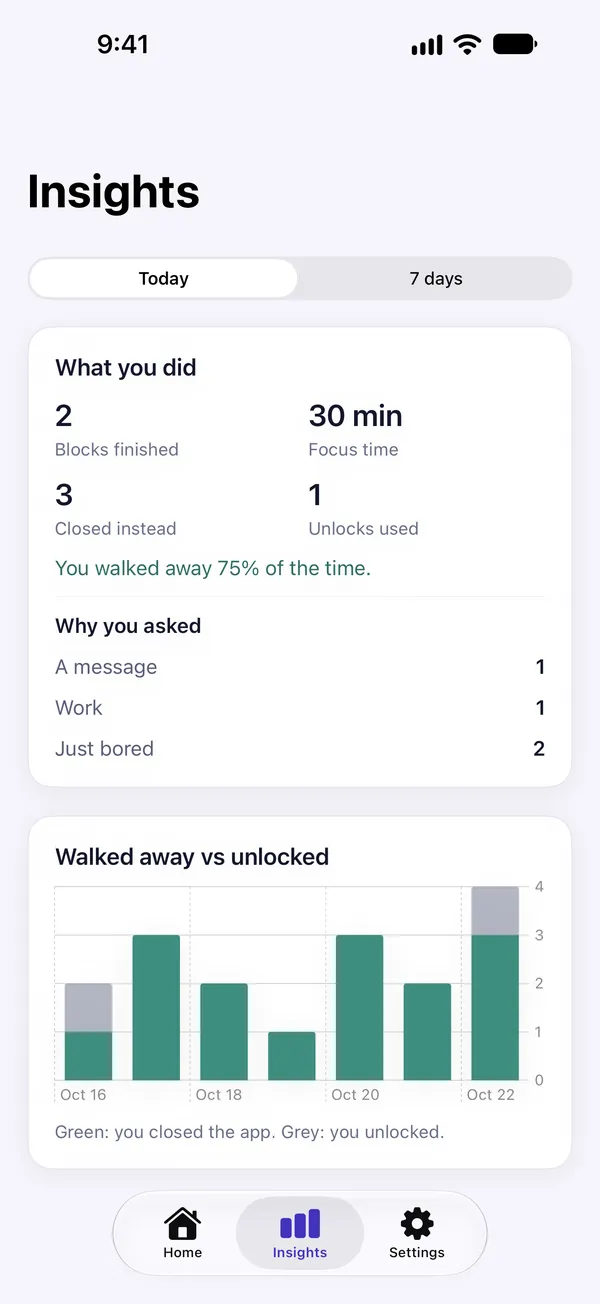
Most apps count what you lost. Halto counts the times you closed the app instead of unlocking it: the moment the habit actually changes.
- Why you asked, and how often you unlocked
- A weekly summary on Monday mornings, only if you want it
Three steps to start
Allow blocking
iOS asks for your permission before Halto can block apps. Apple gives Halto anonymous handles, never app names.
Pick apps and hours
Choose the apps, categories and websites to block, and when. That's a profile.
Close and walk away
Every time you close an app at the shield, it counts in Insights.
Nothing leaves
your iPhone
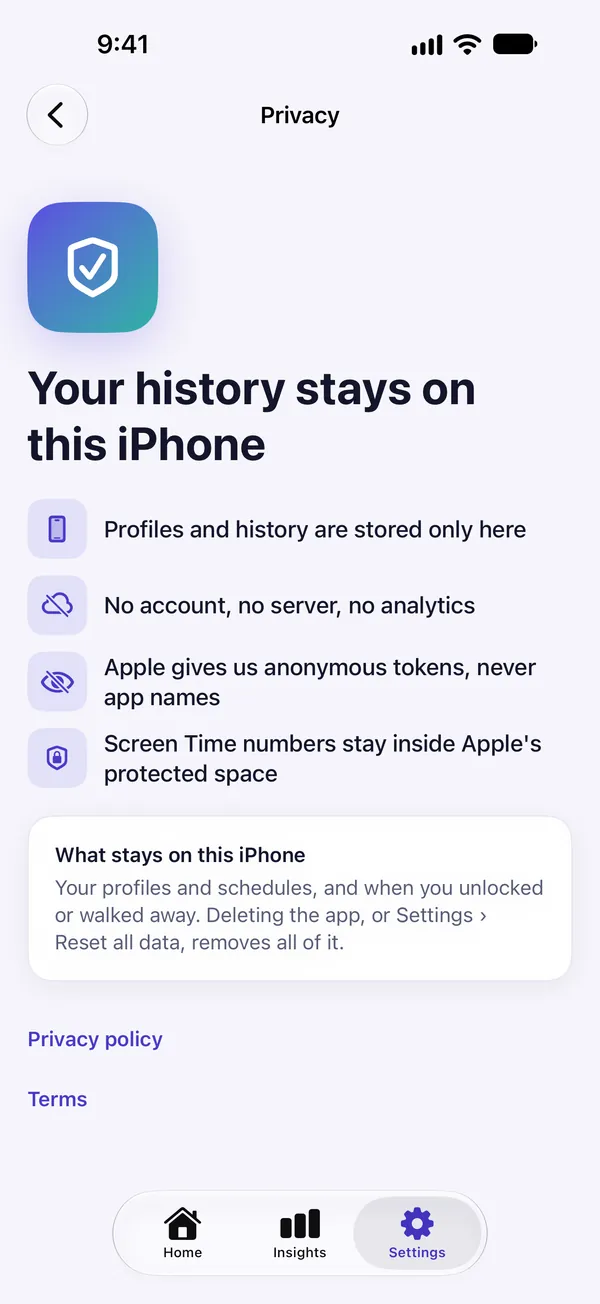
Halto has no account, no server, no analytics and no third-party SDKs. Your schedules, your reasons and your history live on this iPhone only.
Apple gives Halto anonymous handles for the apps you pick, never their names. Even we can't see which apps you chose.
Your usage charts are drawn by Apple inside a private sandbox. The app never receives those numbers.
App Store privacy label: Data Not Collected.
Settings › Reset all data, or deleting the app, removes everything.
Start free,
go Pro when you need it
One profile and three focus sessions a day are free, with no time limit. Pick Pro when you want more.
Free
- One profile (schedule or focus)
- Three focus sessions a day
- Today's report and the weekly summary
- The Live Activity and the widget
Halto Pro Yearly
- Unlimited profiles, daily limits and strict mode
- Insights history beyond today
- Cancel anytime
Halto Pro Lifetime
- Every Pro feature, for good
- No renewals, ever
Subscriptions renew automatically unless cancelled at least 24 hours before the period ends; payment is charged to your Apple Account. Cancel in Settings › Apple Account › Subscriptions. A weekly plan ($4.99, renews every week) is also available in the app. Prices may vary by country or region.
Good questions
Can't I just turn it off?
Yes, you can. iOS always lets you turn off Halto's blocking permission in Settings or delete the app, and Halto doesn't hide that. What it adds is strict mode (Pro): ordinary unlocks are switched off and one emergency unlock a day is left. While strict mode is blocking, that profile can't be edited, switched off or deleted, and once the emergency unlock is used, the block stands until the schedule ends.
How do I open an app when I really need it?
Tap “I need it” on the shield and Halto sends a notification. Tap it to open the pause: breathe for 15 seconds, pick a reason, and the app opens for 5 minutes. You get three unlocks a day by default; the pause, the unlock length and the daily count can be changed in Settings › Unlock defaults.
Can Halto see which apps I use?
No. Apple gives Halto anonymous handles for the apps you pick, never their names, and your usage numbers are drawn only inside Apple's private sandbox. Halto has no account and no server, so nothing is sent anywhere.
What's free?
One profile (schedule or focus), three focus sessions a day, today's report with your unlock reasons, the weekly summary notification, the Live Activity and the widget. Pro adds unlimited profiles, daily limits, strict mode and insights history beyond today.
Do blocks start and end exactly on time?
Not to the second. iOS wakes Halto when the device is in use, so a block or an unlock can be a little late. The shield comes back when an unlock ends, though it can take a little longer if your iPhone is asleep.
How do I cancel?
In Settings › Apple Account › Subscriptions, or from Manage subscription inside the app, at any time. Cancel at least 24 hours before the trial or current period ends and you won't be charged. If you like, Halto can remind you once, 24 hours before the trial ends.
Take back your time
Coming soon to the App Store.